

URL
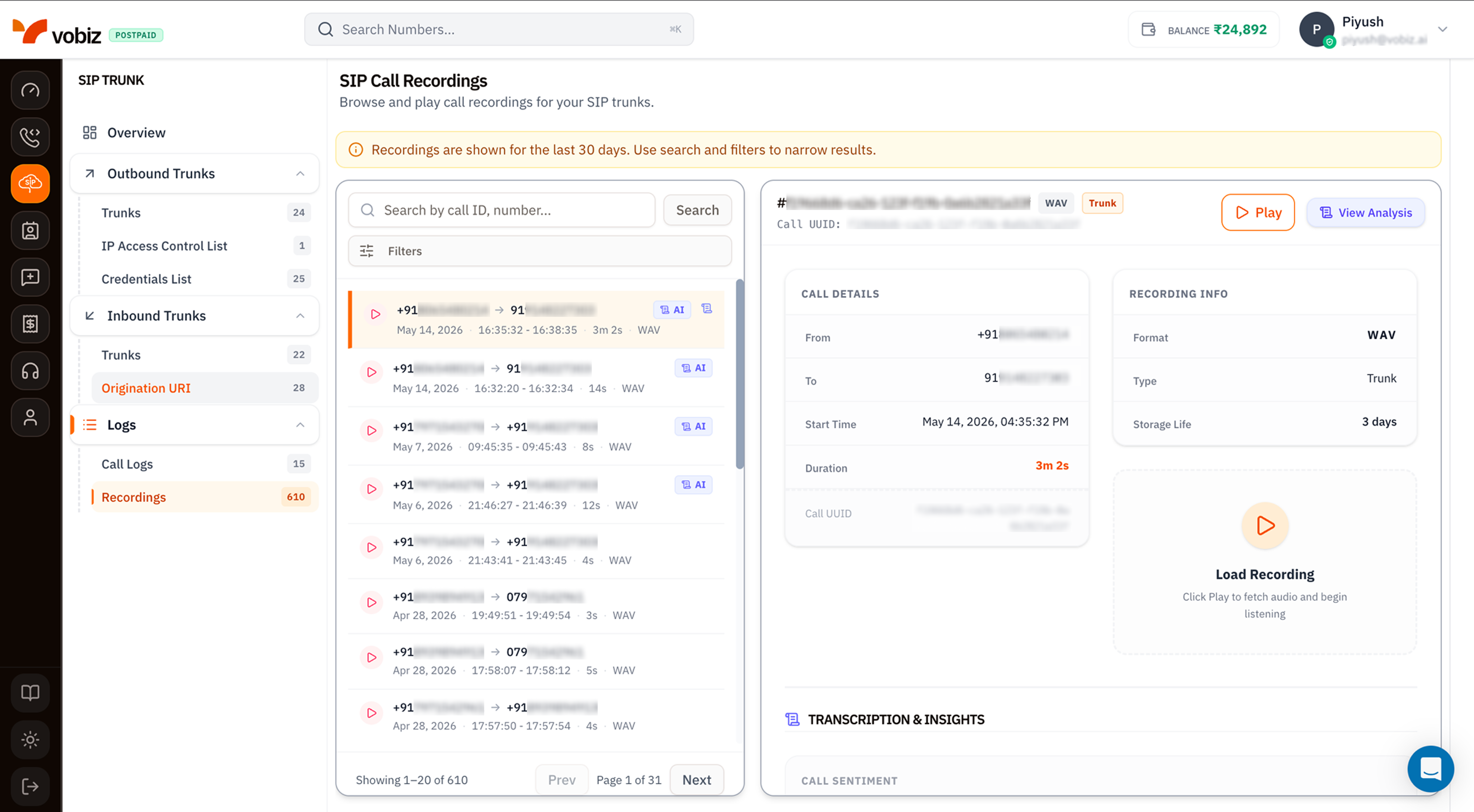
The differences from Voice Recordings
| Element | SIP Recordings | Voice Recordings |
|---|---|---|
| Scope | Recordings produced by SIP trunks (inbound + outbound). | Recordings produced by XML applications. |
| Type badge | Trunk on every row. | Call for standard XML‑driven recordings, Conference for conference legs. |
| Source | Recording enabled per trunk via Outbound Trunks → Call Recording or Inbound Trunks → Call Recording. | Recording started via <Record> XML verb or REST start_recording call. |
Recording details panel
| Field | Meaning |
|---|---|
| Recording ID | #<uuid> shown above the action buttons. |
| Format | WAV (8 kHz mono PCM) or MP3 (CBR 64 kbps). |
| Type | Trunk for SIP recordings. |
| Play / View Analysis | Inline playback or AI breakdown. |
| Call Details | From, To, Start Time, Duration, Call UUID - Call UUID matches SIP Call Logs. |
| Recording Info | Format, Type, Storage Life (days remaining before auto‑delete). |
| Transcription & Insights | Speaker‑labelled transcript plus per‑speaker sentiment. |
Tips
- Enable recording per trunk, not globally. Recording every call gets expensive - keep it on for the agent/production trunks that actually need audit trails.
- Export critical recordings within 30 days. Retention is hard - see Export historical recordings before they age out.
- Use Call UUID to jump back to the originating SIP Call Log entry - quoting the Recording ID in support tickets is fine, but the Call UUID gives Vobiz support the full SIP trace.
What’s next
Call Logs
Per‑call records that produced these recordings.
Recording API
Programmatic access - list, download, delete, bulk export.