

URL
The Credentials list
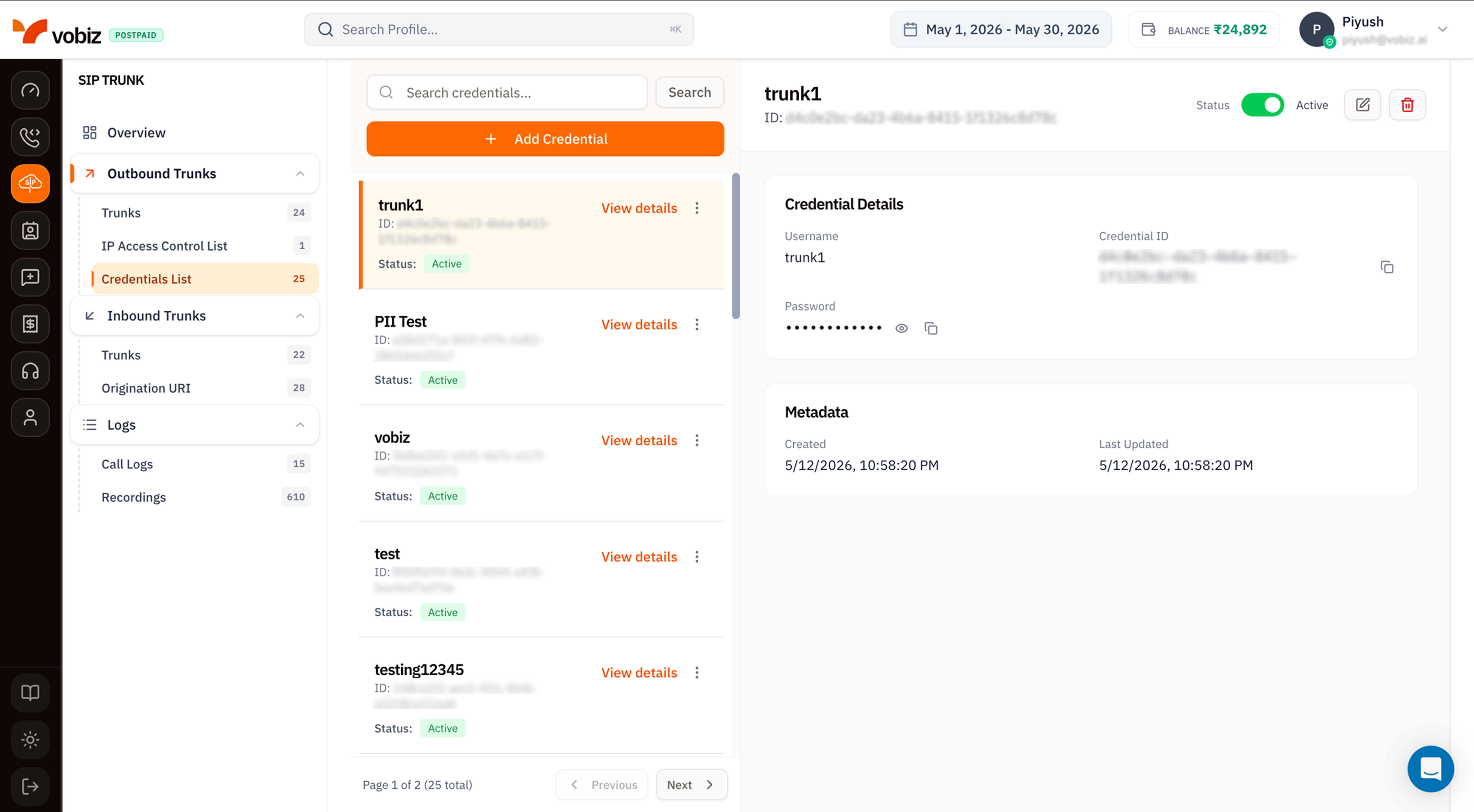
| Column | Meaning |
|---|---|
| Name | The credential username. |
| ID | Immutable UUID - quote in support tickets. |
| Status | Active accepts auth; Inactive blocks the username without deleting. |
Details panel
| Field | Meaning |
|---|---|
| Status toggle | Flip between Active and Inactive without deleting. |
| Username | The SIP username your PBX presents. |
| Credential ID | Immutable UUID. |
| Password | Stored hashed - Vobiz never displays plaintext after creation. Click the eye icon (👁) to reveal the value if it’s been re‑entered, or the copy icon (⧉) to copy. |
| Metadata | Created / Last Updated timestamps. |
Create a credential
Click + Add Credential to open the side panel.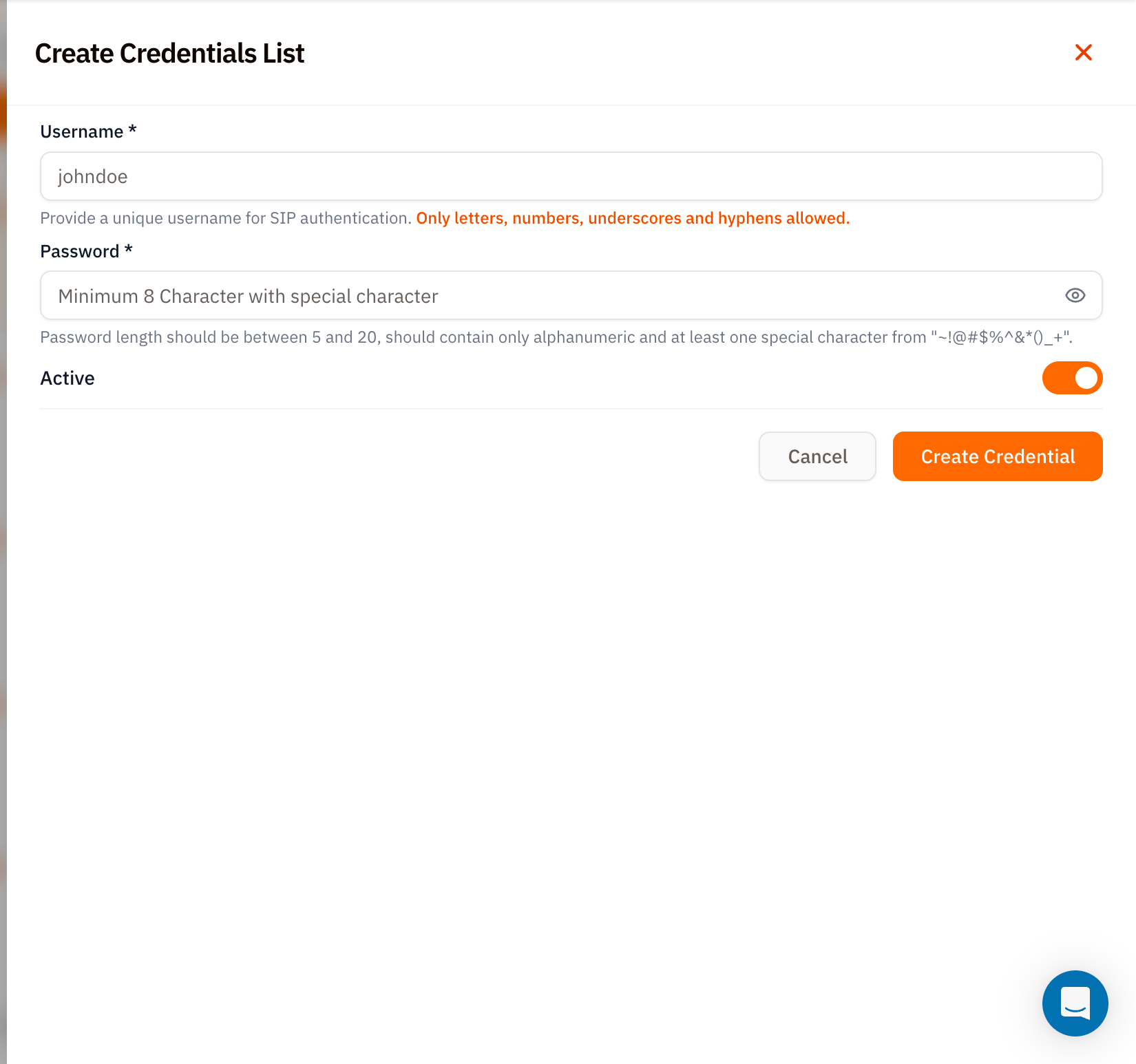
| Field | Required | Rules |
|---|---|---|
| Username | ✅ | Letters, numbers, underscores, and hyphens only. No spaces or symbols. |
| Password | ✅ | Length 5–20 characters. Must be alphanumeric plus at least one of ~!@#$%^&*()_+. |
| Active | – | Defaults on. Toggle off to provision but reject auth. |
Use the credential on a trunk
Once created:- Open an Outbound Trunk.
- Edit the trunk and pick this credential from the Credentials List dropdown.
- Save.
Tips
- One credential per environment. Same logic as one trunk per environment - prevents a leaked staging password from being usable in prod.
- Rotate passwords on offboarding. Setting the credential to
Inactiveis faster than rotating, but rotation eliminates the risk that someone re‑enables it. - Username uniqueness. Vobiz rejects duplicate usernames within your account - pick something descriptive like
acme-prod-pbx-01instead ofsip1.
What’s next
Outbound Trunks
Attach this credential to a trunk.
IP Access Control List
IP whitelisting as an alternative to credentials.