

URL
The IP ACL list
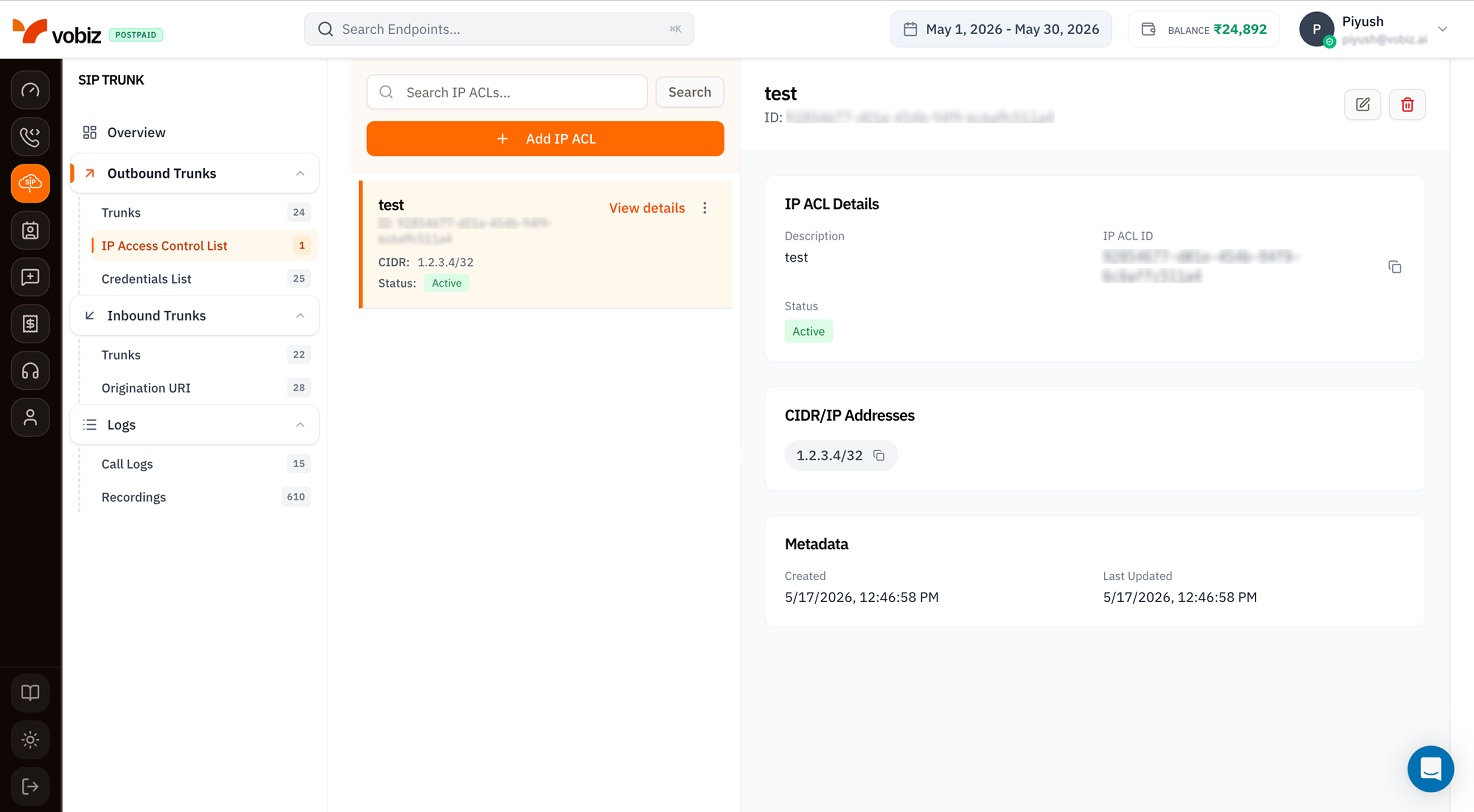
| Column | Meaning |
|---|---|
| Name | Friendly label (e.g. Mumbai DC, Asterisk prod). |
| ID | Immutable UUID - quote in support tickets. |
| CIDR | The IP range(s). 1.2.3.4/32 means just that one IP; 203.0.113.0/24 means a whole /24 block. |
| Status | Active accepts traffic; Inactive rejects everything from those IPs without removing the rule. |
Details panel
| Section | Field | Meaning |
|---|---|---|
| IP ACL Details | Description | Friendly name. |
| IP ACL ID | Immutable UUID. | |
| Status | Active or Inactive. | |
| CIDR/IP Addresses | One chip per entry | All IPs/ranges associated with this ACL. |
| Metadata | Created / Last Updated | Both in your browser timezone. |
Create an IP ACL
Click + Add IP ACL to open the side panel.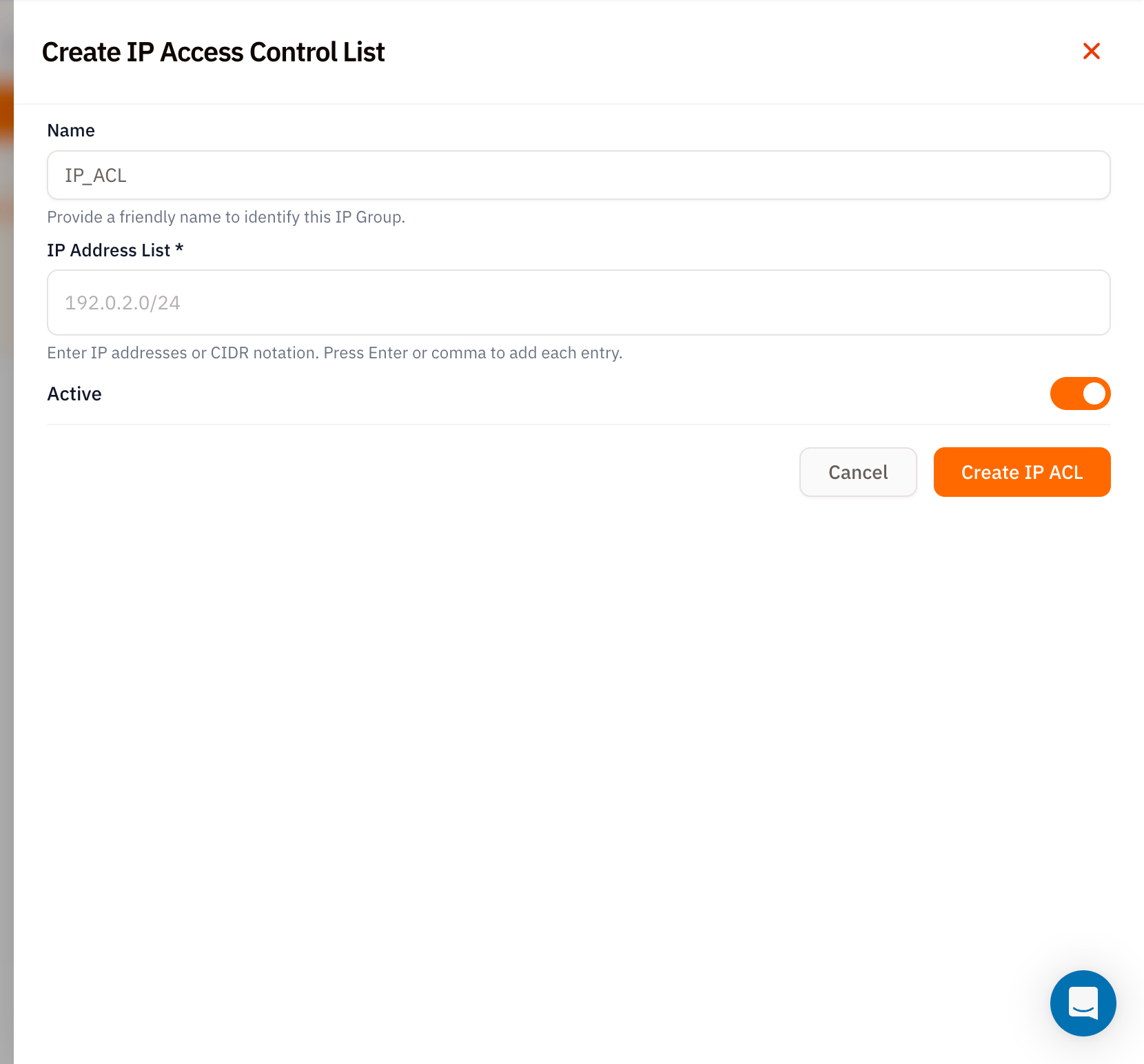
| Field | Required | Notes |
|---|---|---|
| Name | – | Friendly identifier. Defaults to IP_ACL if left blank. |
| IP Address List | ✅ | Type each IP or CIDR and press Enter (or ,) to commit. Examples: 1.2.3.4 (single IP, auto‑expanded to /32), 203.0.113.0/24 (whole /24 block). |
| Active | – | Defaults on. Toggle off to provision the ACL but reject traffic. |
Use the ACL on a trunk
Once created:- Open an Outbound Trunk.
- Edit the trunk and pick the new ACL from the IP Access Control List dropdown.
- Save.
Tips
- Use
/32for single hosts. A bare IP like1.2.3.4is normalised to1.2.3.4/32- but being explicit makes it obvious to anyone reading the list later. - Stack multiple entries on one ACL. Easier than juggling several ACLs - one per environment is the sweet spot.
- Toggle, don’t delete. When a PBX is temporarily offline, set the ACL to
Inactiveinstead of removing entries - your config returns intact when the box comes back.
What’s next
Outbound Trunks
Attach this ACL to a trunk.
Credentials List
Username + password auth as an alternative to IP ACL.