

host:port plus transport - that Vobiz forwards inbound PSTN calls to. Each inbound trunk picks one URI as its Primary, and you can keep multiple URIs on hand for primary/backup routing or per‑region delivery.
URL
The Origination URI list
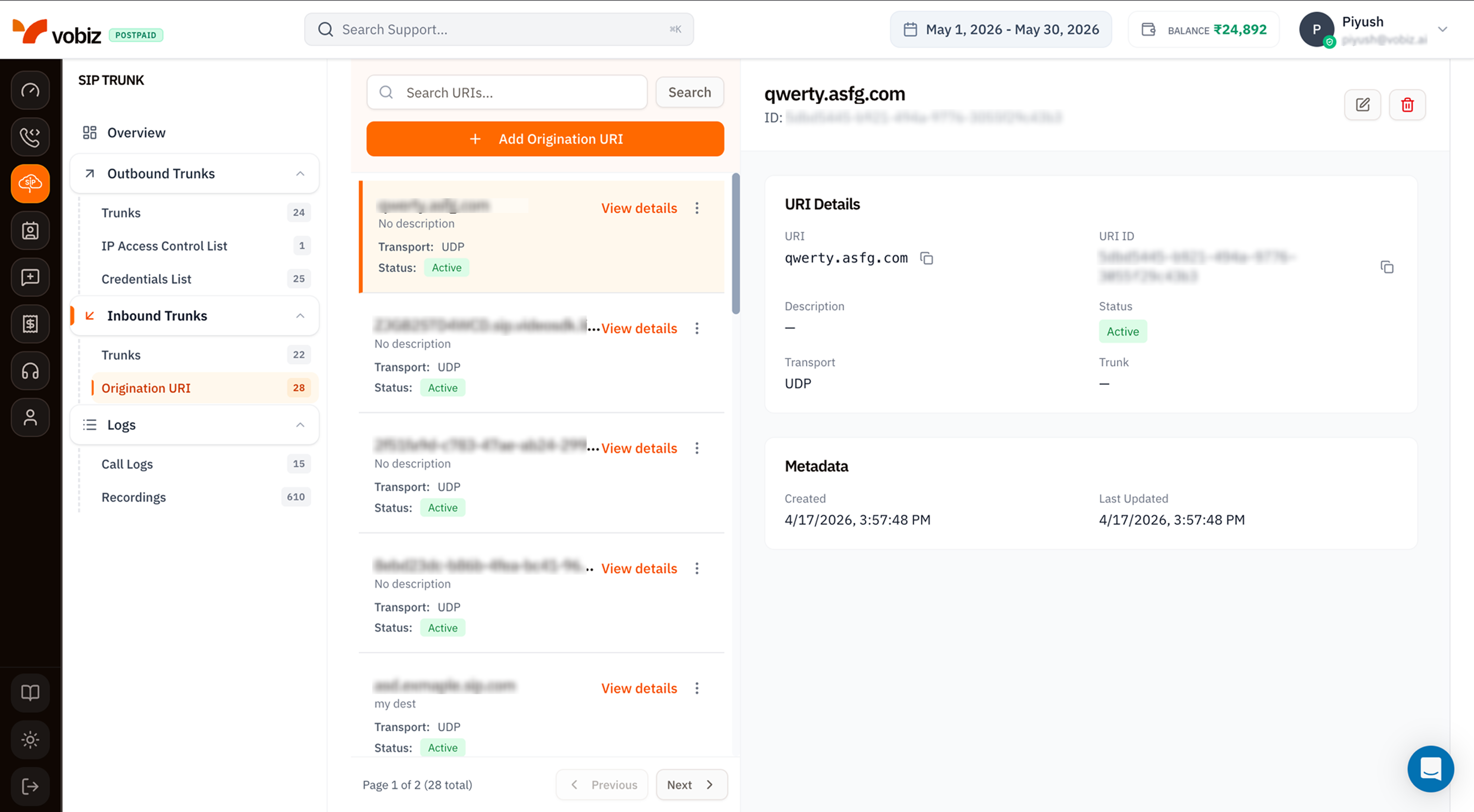
| Column | Meaning |
|---|---|
| URI | The SIP host (and optional port). Vobiz POSTs the INVITE here. |
| Transport | UDP (default), TCP, or TLS. Picked when you create the URI. |
| Status | Active accepts calls; Inactive rejects (carrier sees a routing error). |
Details panel
| Section | Field | Meaning |
|---|---|---|
| URI Details | URI | The host (and port). |
| URI ID | Immutable UUID. | |
| Description | Optional notes. | |
| Status | Active / Inactive. | |
| Transport | UDP, TCP, or TLS. | |
| Trunk | The inbound trunk this URI is currently linked to (or —). | |
| Metadata | Created / Last Updated | Both in your browser timezone. |
Create an Origination URI
Click + Add Origination URI to open the side panel.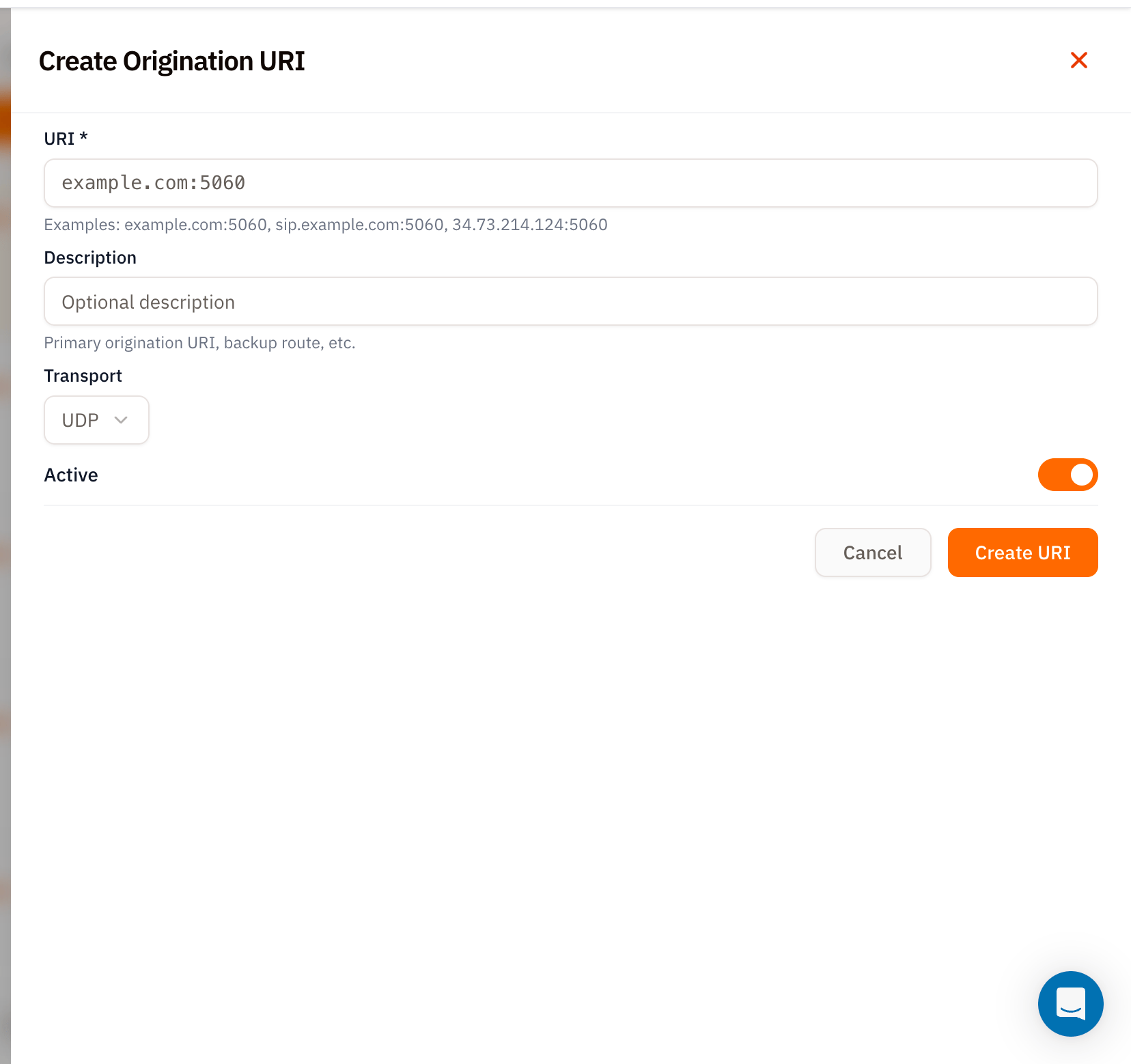
| Field | Required | Notes |
|---|---|---|
| URI | ✅ | host:port form. Examples: example.com:5060, sip.example.com:5060, 34.73.214.124:5060. Port defaults to 5060 if omitted. |
| Description | – | Free‑text label like “Primary Mumbai PBX” or “Failover route”. |
| Transport | – | UDP (default), TCP, or TLS. Pick TLS if your PBX expects encrypted SIP. |
| Active | – | Defaults on. Toggle off to provision without routing traffic. |
Link the URI to an inbound trunk
Once the URI exists:- Open an Inbound Trunk.
- Edit the trunk and pick this URI from the Primary URI dropdown.
- Save.
Multiple URIs - primary / backup
A URI created here can be reused across many trunks, or you can keep several URIs on standby for fast failover:- Primary URI stays linked to the production inbound trunk.
- Backup URI stays
Activebut unlinked. - When the primary PBX goes down, switch the trunk’s Primary URI to the backup - propagation is instant.
Tips
- Always include the port.
example.com:5060is clearer than relying on a default - and several common firewalls reject SIP without an explicit port. - Use TLS for cloud PBXes. UDP over the open internet is fine for fixed‑IP deployments, but TLS prevents eavesdropping and SIP fingerprinting for cloud setups.
- Name the URI well. The list grows fast; “Primary Mumbai PBX” beats
34.73.214.124:5060when you’re staring at 28 entries.
What’s next
Inbound Trunks
Link this URI to a trunk and start receiving calls.
SIP Call Logs
Verify inbound traffic landed on the right URI.