

What you’ll build
A no-code outbound calling setup where your Retell AI agent reaches customers using your Vobiz phone number and SIP trunk for transport.Prerequisites
- Retell AI account → Sign up
- Vobiz account with active balance → Create account
- Retell AI agent created → Create in dashboard
- Phone number from Vobiz (for caller ID)
Step-by-step setup
Open the phone numbers section
Log in to the Retell Dashboard, navigate to Phone Numbers in the sidebar, and click the + button to add a new number.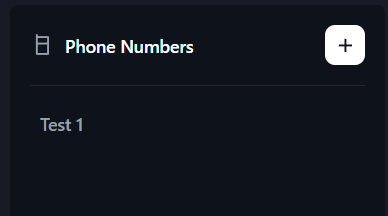
Select SIP trunking
Choose Connect to your number via SIP trunking. This option lets you use your own Vobiz phone number and SIP infrastructure instead of buying a number from Retell.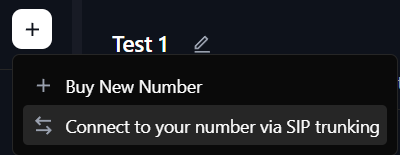
Configure the SIP trunk
Fill in the required fields: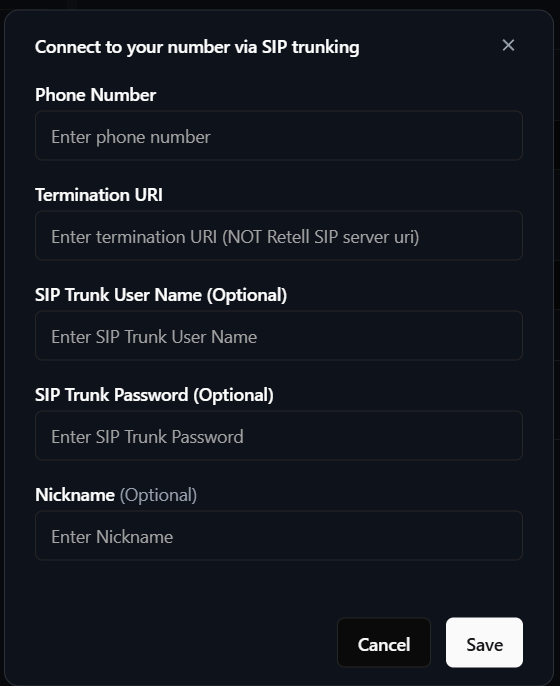
Click Save to complete the configuration.
| Field | Value |
|---|---|
| Phone Number | Your Vobiz number in E.164 format (for example, +1234567890) |
| Termination URI | Your Vobiz SIP domain (for example, abc123.sip.vobiz.ai) - do not include the sip: prefix |
| SIP Trunk User Name | Your Vobiz trunk username |
| SIP Trunk Password | Your Vobiz trunk password |
| Nickname | Friendly name (for example, Vobiz Main Line) |
Make a batch call
Click on your configured phone number and select Create a batch call. Fill in: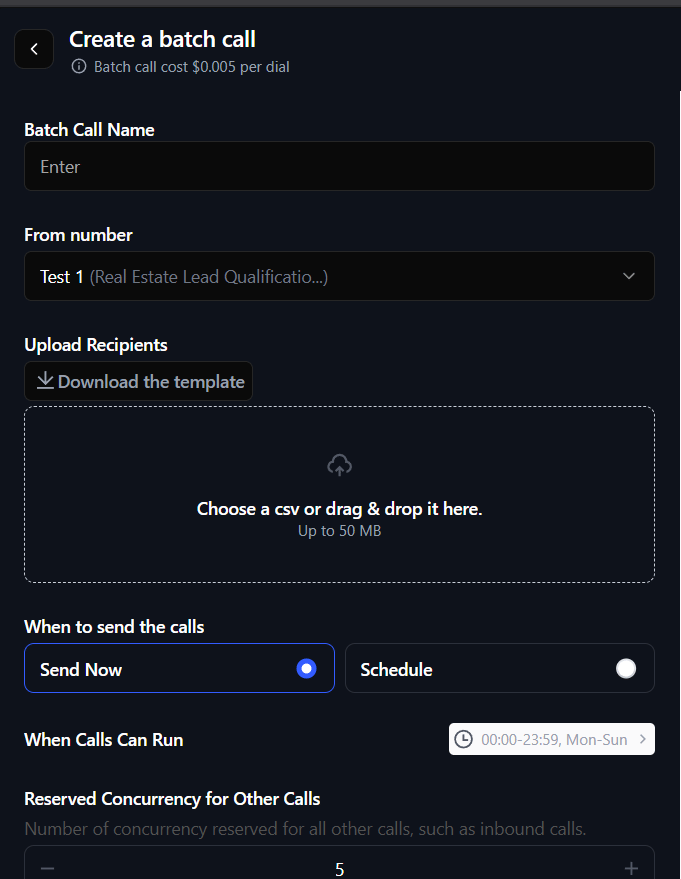
- Batch Call Name - campaign name (for example,
Customer Outreach) - From number - your configured Vobiz number
- Upload Recipients - CSV file with phone numbers
- When to send -
Send NoworSchedule
Dashboard setup complete! Your Retell AI agent can now make outbound calls through Vobiz SIP infrastructure.
Where to find your Vobiz credentials
- Console: Vobiz Console → Trunks → your trunk
- API: see the SIP trunks documentation
Troubleshooting
”Phone number not found”
Phone number not configured in Retell.- Verify the number is in E.164 format (
+countrycode + number). - Re-configure the phone number using the steps above.
- Check that the number exists in the Vobiz Console.
Call fails immediately
SIP authentication or configuration issue.- Verify your Vobiz username and password in the Vobiz Console.
- Use the exact Vobiz domain (for example,
abc123.sip.vobiz.ai). - Do not include a
sip:prefix. - Try a different transport type (TCP vs UDP) in the trunk config.
Agent doesn’t speak
Agent not configured or not published.- Ensure the agent is published in Retell Dashboard → Agents.
- Check the agent has a voice configured.
- Verify the agent ID matches the phone number config.
Next steps
- Customize your agent - configure voice, personality, and prompts in Retell Dashboard → Agents.
- View call analytics - monitor call logs and transcripts in Retell Dashboard → Calls.
- Automate with API - trigger calls programmatically using the Retell AI API setup guide.
- Monitor usage - track your Vobiz balance and call records.