

What you’ll build
A no-code outbound and inbound calling integration where your ElevenLabs conversational agent answers and places calls through Vobiz SIP trunking, using ElevenLabs’ ultra-realistic voices.Prerequisites
- Vobiz account with a SIP trunk → Create account
- ElevenLabs account → Sign up
- ElevenLabs agent created → Create in dashboard
- Phone number from Vobiz (for caller ID)
Outbound calls
1. Import phone number
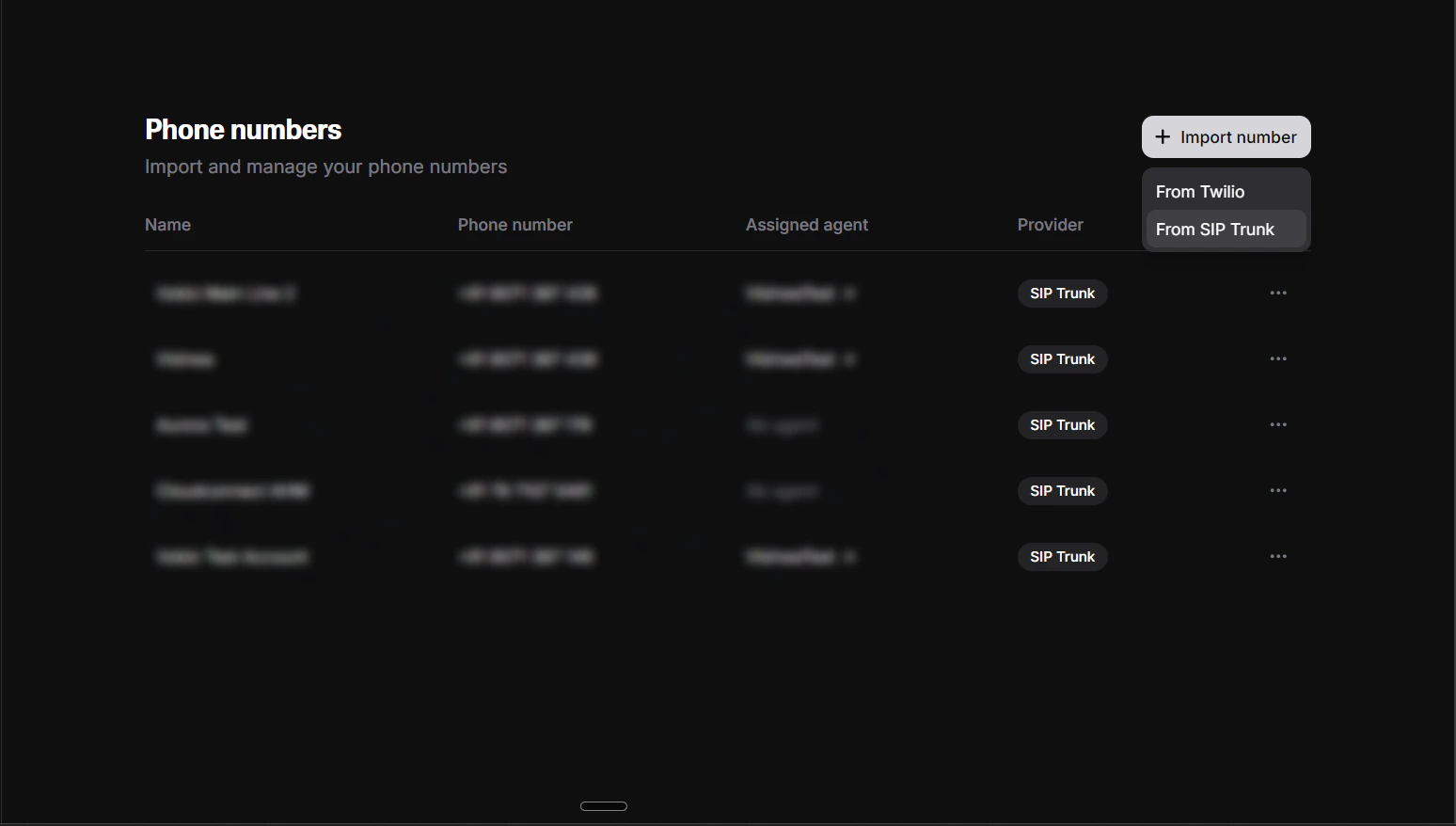
- Log in to the ElevenLabs Dashboard.
- Navigate to Phone Numbers in the sidebar.
- Click Import Number.
- Select Import from SIP Trunk.
2. Label phone number
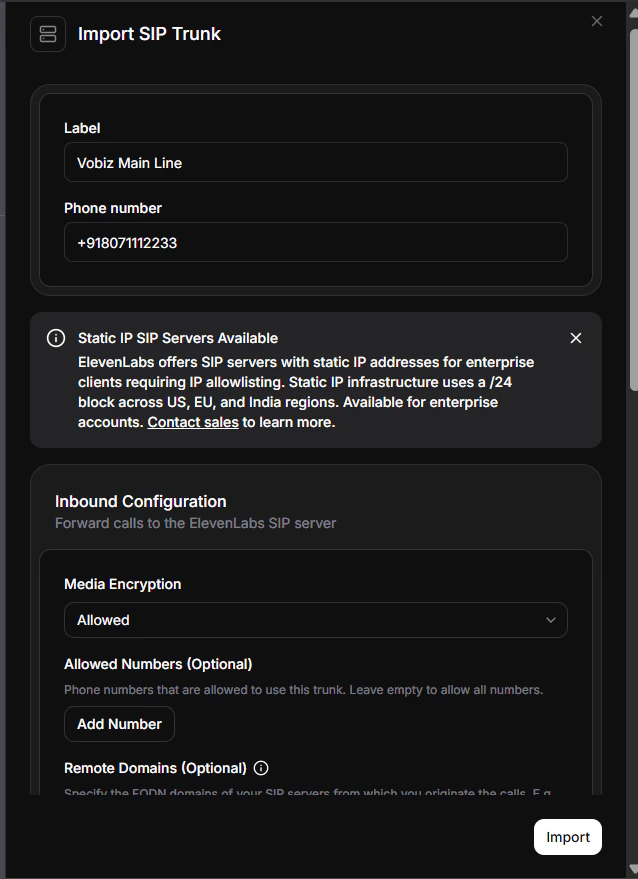
- Label - a name for easy identification (for example,
Vobiz Main Line). - Phone Number - your Vobiz number (for example,
+911234567890). Include the country code with+, or use the local format (01234567890).
Need a phone number? See the phone numbers documentation to purchase one from Vobiz.
3. Configure outbound settings
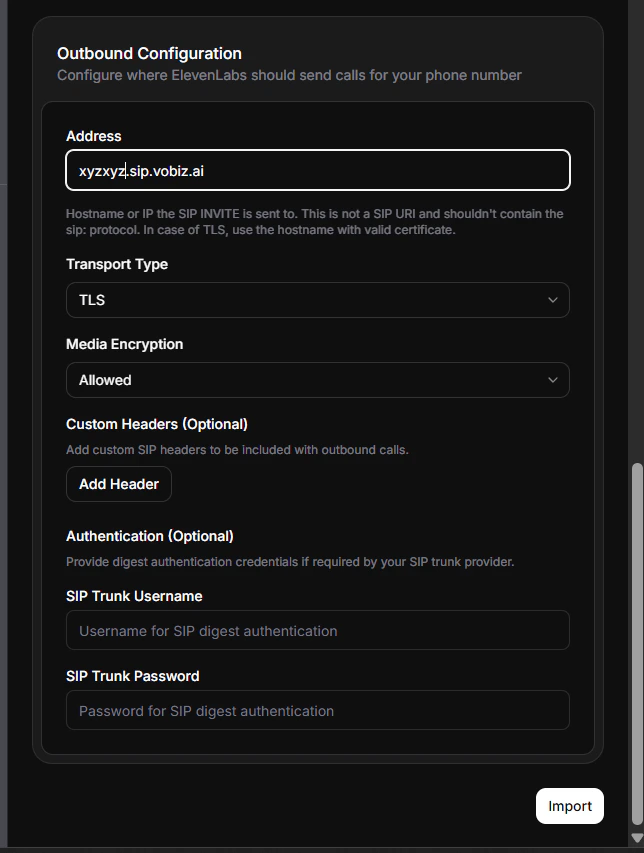
| Field | Value |
|---|---|
| Transport Type | TCP |
| Address (SIP Trunk Address) | <your_unique_domain>.sip.vobiz.ai |
| SIP Trunk Username | <your_username> |
| SIP Trunk Password | <your_password> |
- Log in to the Vobiz Console.
- Navigate to SIP Trunk → Outbound Trunks → Trunks.
- Click on your trunk.
- Scroll to the Authentication & Linking section.
4. Make your first call
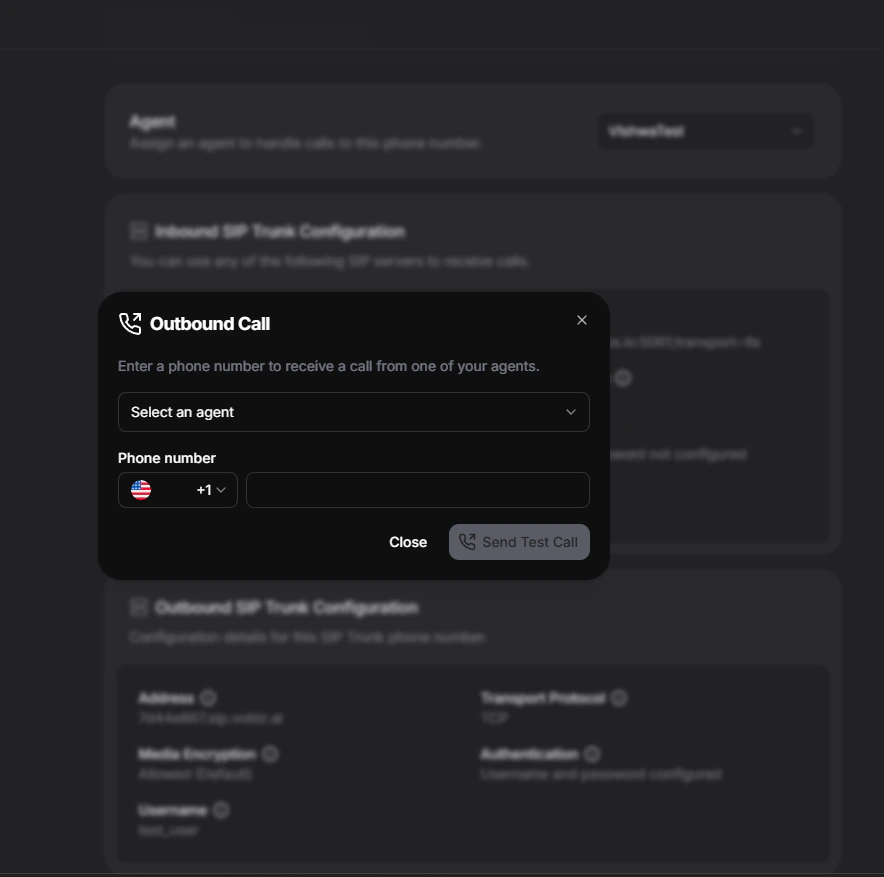
- In the ElevenLabs Dashboard, navigate to Phone Numbers.
- Select the phone number you just imported.
- Click Make Outbound Call.
- Select your agent from the dropdown - this is the conversational AI agent you created in ElevenLabs.
- Enter the destination phone number (for example,
+919988776655) - must include country code. - Click Call or Start Test Call.
Verify your call
To view call logs and transcripts:
- Go to Agents Platform → your agent.
- Click Call History or Conversations.
- View call details, transcripts, and recordings.
Outbound complete! You can now make calls from the ElevenLabs Dashboard anytime.
Inbound calls
To allow people to call your AI agent, configure inbound calling.1. Configure SIP URI
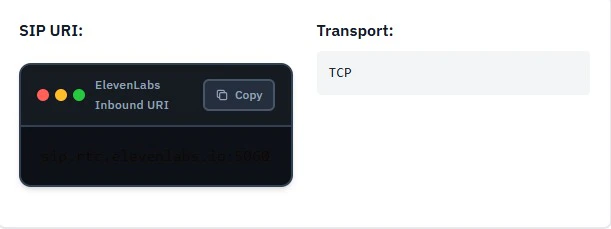
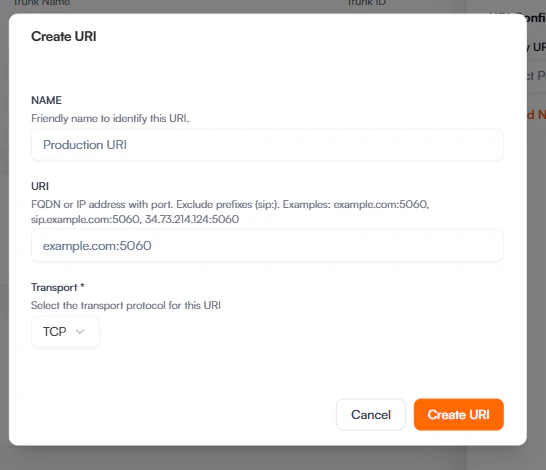
In your Vobiz SIP trunk configuration or Application Answer URL, point incoming calls to the ElevenLabs SIP URI:
| Setting | Value |
|---|---|
| SIP URI | sip.rtc.elevenlabs.io:5060 |
| Transport | TCP |
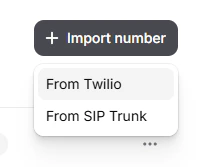
2. Import the number
Go to ElevenLabs Phone Numbers and click Import from SIP Trunk.
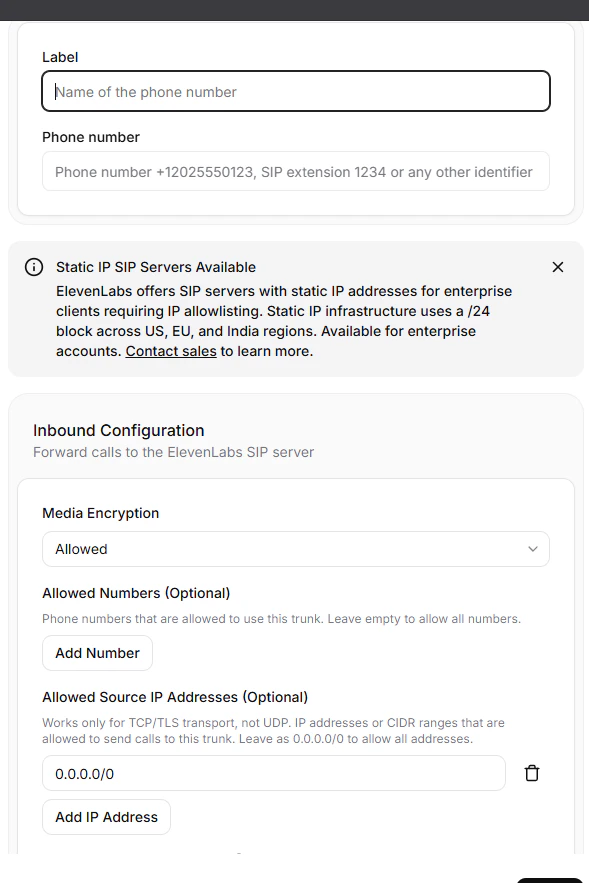
3. Configure number details
Enter a label (for example, Main Line) and your Vobiz phone number.
4. Attach to agent
Once added, locate the number in your list and click Attach to link it to an agent.

5. Select the agent

Troubleshooting
SIP 408 request timeout
Vobiz trunk cannot reach ElevenLabs SIP servers.
- Verify the SIP trunk address is correct (for example,
abc123def.sip.vobiz.ai). - Check the transport type is set to
TCP. - Verify your Vobiz trunk status is
activein the Vobiz Console.
SIP authentication failed
Wrong username or password.
- Verify username and password in Vobiz Console → Trunks.
- Ensure credentials match exactly (case-sensitive).
- Re-enter credentials in the ElevenLabs dashboard.
Call connects but silent
Agent configuration issue or voice not set.
- Verify the agent has a
First Messageconfigured. - Check the agent has a valid voice selected.
- Test the voice in the ElevenLabs dashboard first.
- View call logs in the ElevenLabs Dashboard for errors.
Call doesn’t connect
Wrong phone number format or trunk configuration.
- Use E.164 format:
+919988776655(with+). - Or local format:
09988776655(without+). - Verify your Vobiz trunk is active.
Next steps
- Customize your agent - configure voice, personality, prompts, and first message in the ElevenLabs Dashboard.
- View call analytics - monitor call logs and transcripts in ElevenLabs Dashboard → Call History.
- Automate with API - see the ElevenLabs API setup guide to trigger calls programmatically.
- Monitor usage - track your Vobiz balance and call records.